

Glossary for Larapen
Build a searchable glossary of terms and definitions. Boost SEO with keyword-rich pages and establish your site as an authoritative knowledge resource.
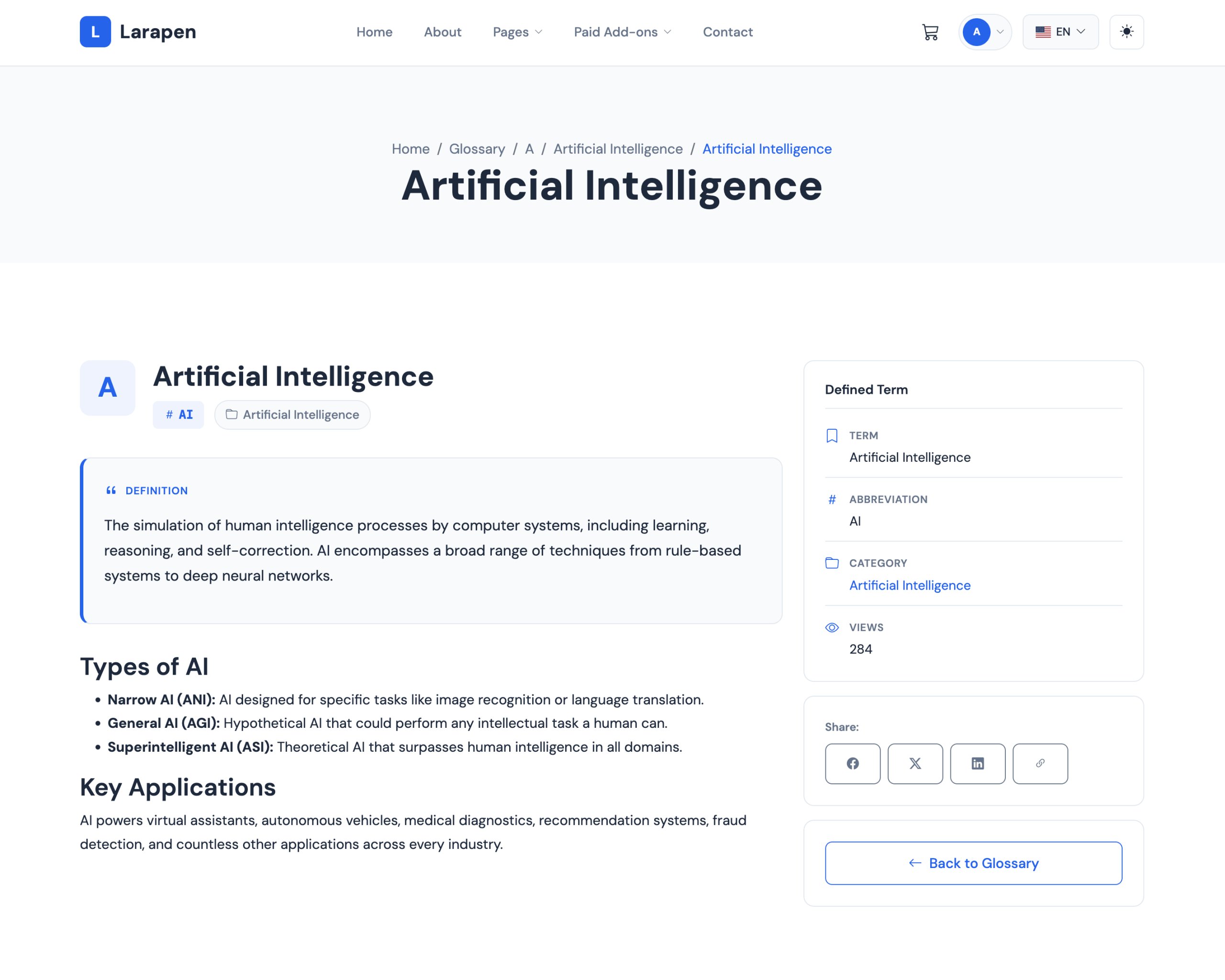
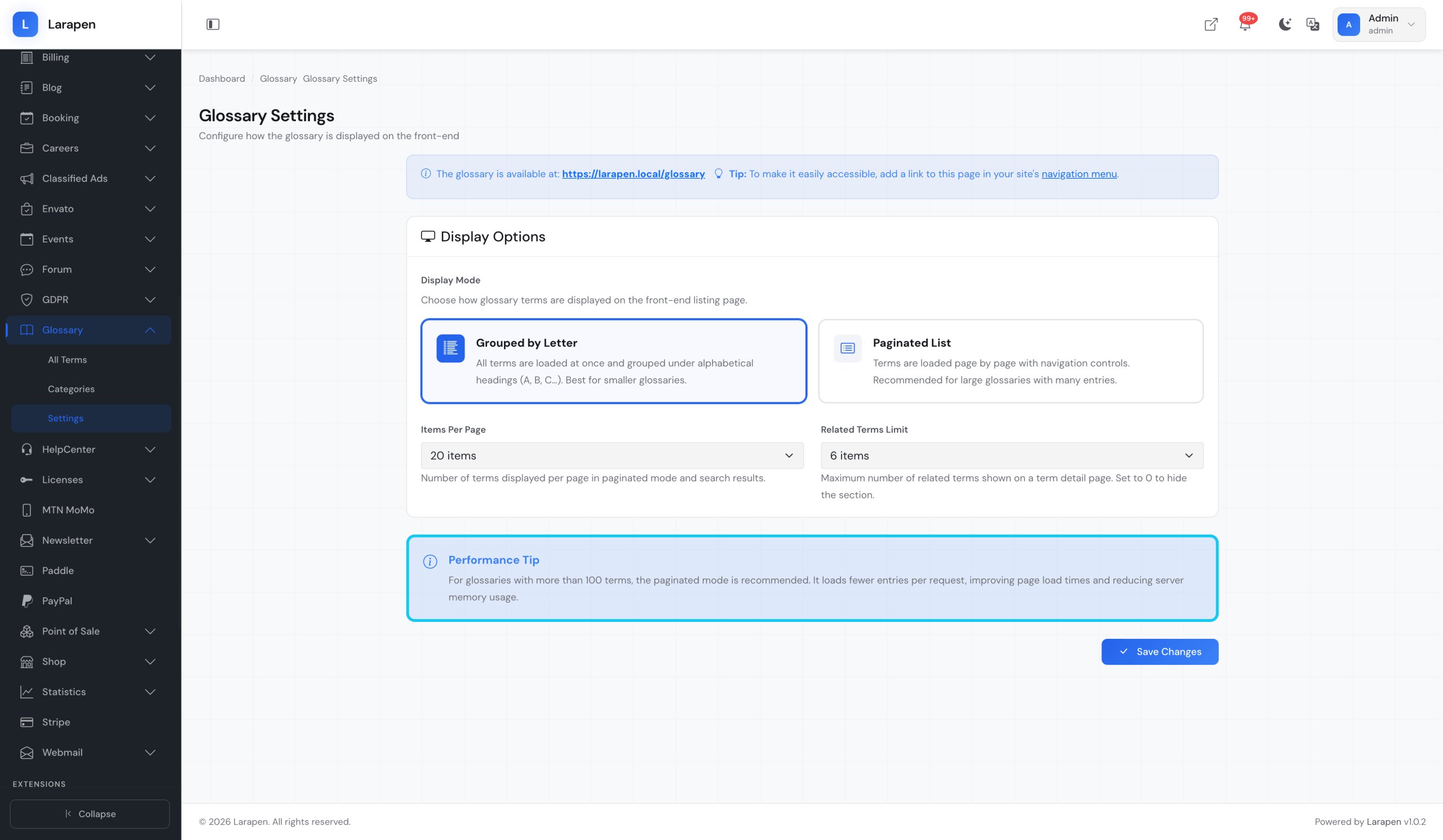
The Glossary add-on lets you build a comprehensive terminology reference directly on your Larapen website. Each term gets its own dedicated page with a rich definition, making it a powerful SEO asset. Search engines love well-structured, keyword-rich content, and a glossary provides exactly that. Over time, your glossary pages attract organic traffic from users searching for industry-specific terms.
Cross-Linked & Discoverable
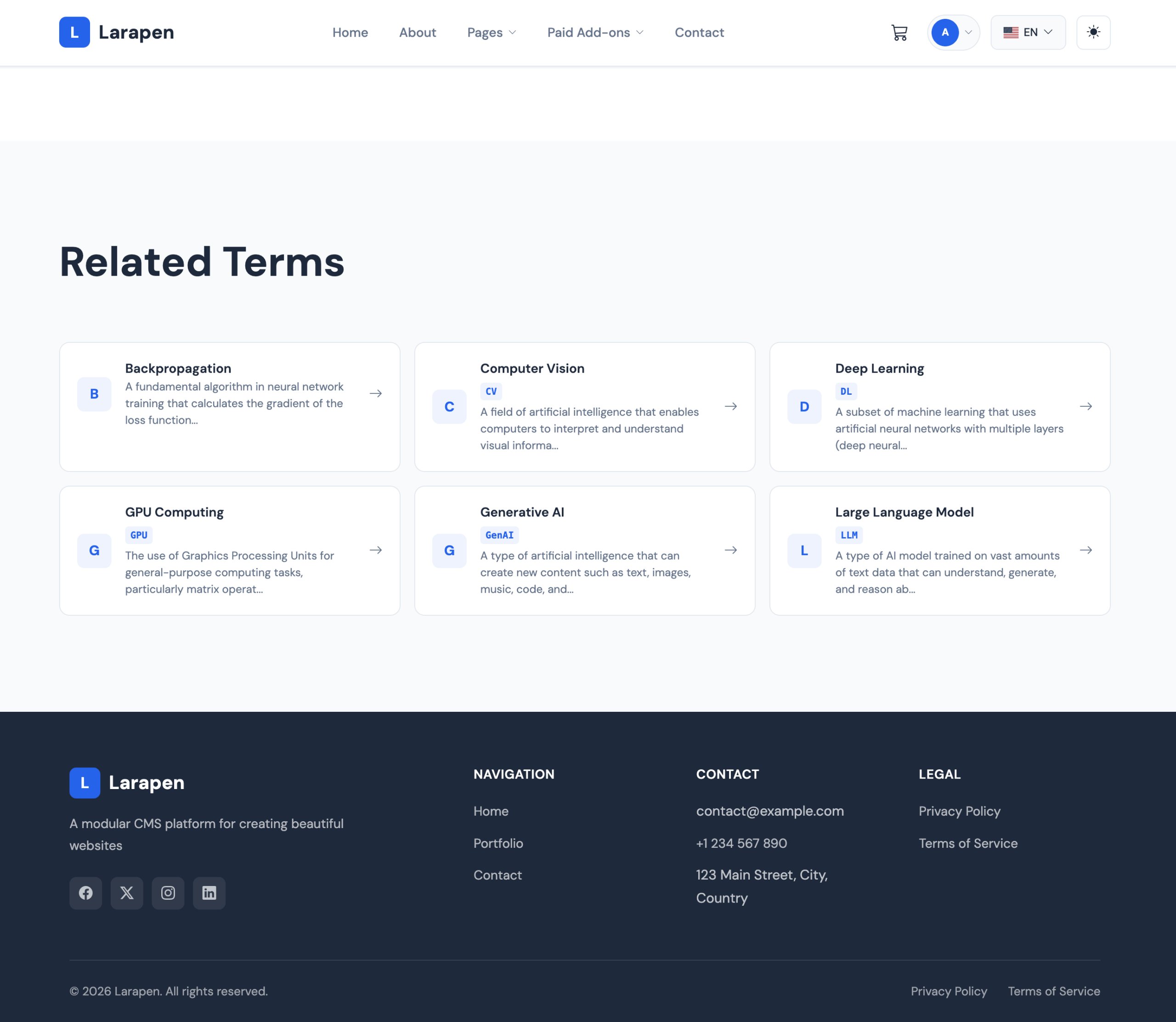
Terms can cross-reference each other, creating an interconnected web of definitions that keeps visitors exploring your site longer. Alphabetical browsing and full-text search make it easy for users to find the term they need. Categories let you group related terms together for structured navigation.
A Glossary Built for Growth
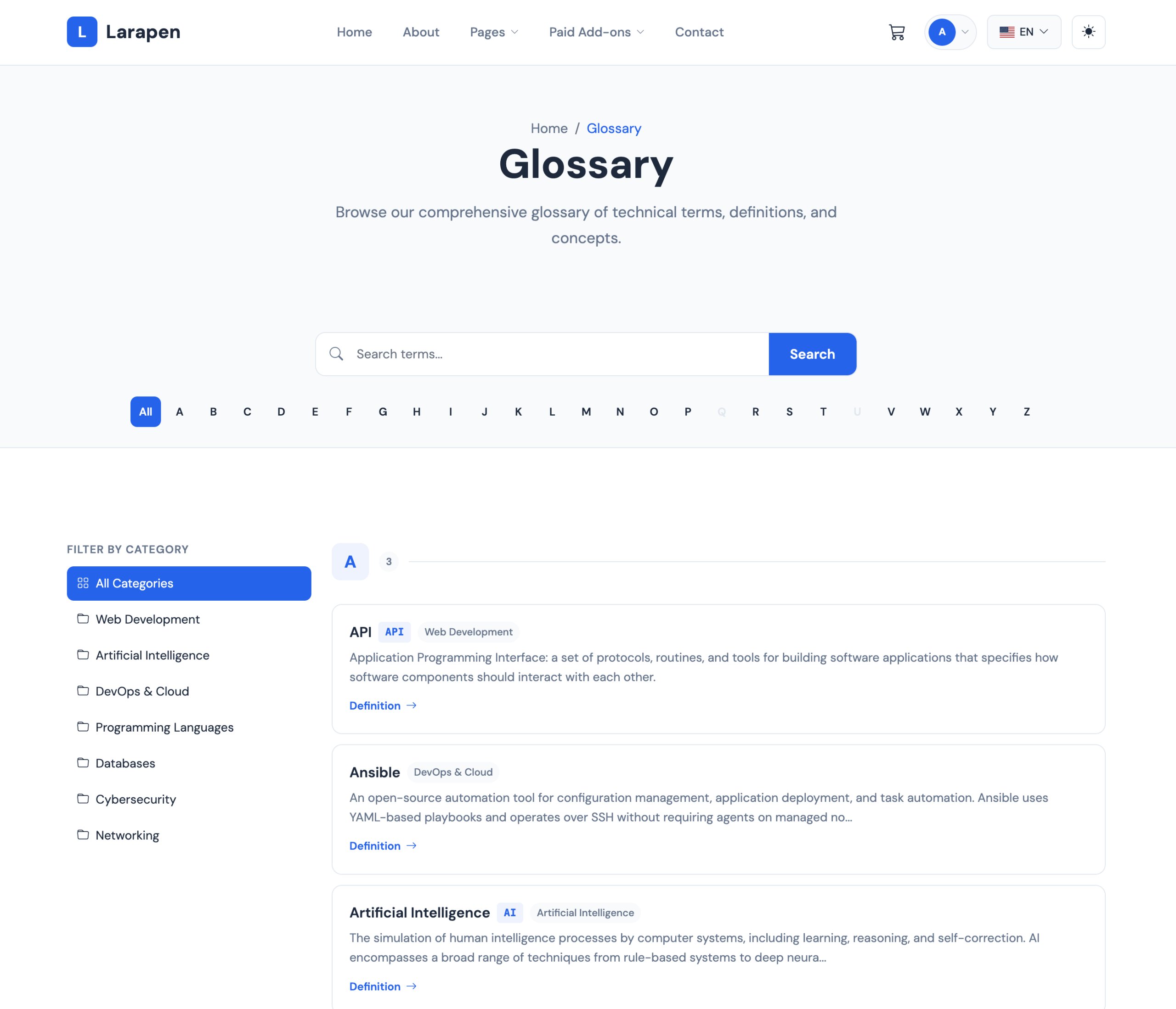
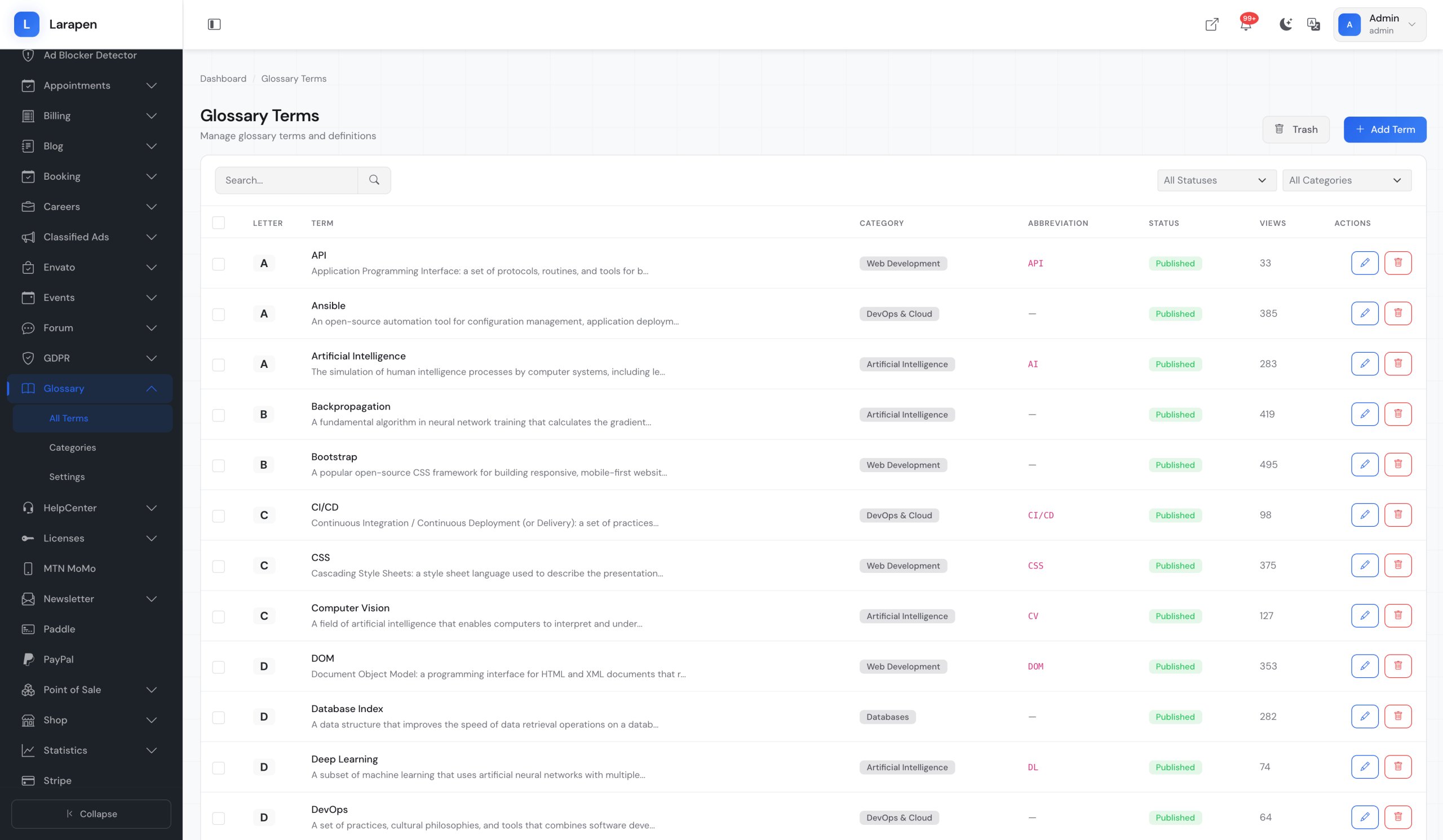
- Term Management: Add terms with rich definitions, examples, and related links. Each term gets a dedicated, SEO-optimized page.
- Alphabetical Index: Browse terms alphabetically with a clean A-Z navigation bar. Users jump directly to the letter they need.
- Full-Text Search: Search across all terms and definitions. Instant results help users find the exact term they are looking for.
- Categories: Group related terms into categories: technical, marketing, legal, financial; for organized browsing.
- SEO Optimized: Each term page includes customizable meta titles, descriptions, and structured data. Built to attract organic search traffic.
- Cross-Links: Link related terms to each other. Visitors discover related concepts naturally, increasing time on site and page views.
Build Your Glossary
- Install & Activate: Upload the Glossary add-on and activate it from the admin panel. Term tables and routes are created automatically.
- Add Terms: Create terms with rich definitions using the editor. Categorize them and set up cross-references to related terms.
- Watch Traffic Grow: As search engines index your glossary pages, organic traffic increases. Each term page becomes a long-tail keyword magnet.
This product has no reviews yet.
Write a review
Be the first to share your experience with this product.
Item Support
This item includes 6 months of support from the author. After purchase, contact the author for any help you need with this product.
Get Support
Got Questions?
Frequently Asked Questions About Glossary for Larapen
Everything you need to know about Glossary for Larapen before you buy.
Each glossary term creates a dedicated, indexable page targeting specific long-tail keywords. These pages build topical authority for your site and attract organic search traffic from users looking up industry terminology. Over time, a well-maintained glossary becomes a significant source of inbound traffic.
Yes. The admin panel includes a CSV import feature. Prepare your terms with columns for name, definition, and category, then import them in bulk. This is useful for migrating an existing glossary or populating a large number of terms quickly.
Yes. Like all Larapen content, glossary terms support full multi-language translations. Term names, definitions, meta data, and categories are all translatable. Each language gets its own URL with proper hreflang tags for international SEO.